
PicoCTF 2026 Write-up: 6 Challenges from the General Skills Category
Hello! I managed to catch picoCTF this year. In this post I’ll walk through a few challenges I solved from the “General Skills” category. Since I’m still new to the CTF world, I both had a lot of fun and learned some genuinely eye-opening things while solving them. Without further ado, let’s start with “Bytemancy”, a 4-challenge series.
Bytemancy 0
Our first challenge is simple: when we listen to the given server with netcat, it runs this Python code we’re given.
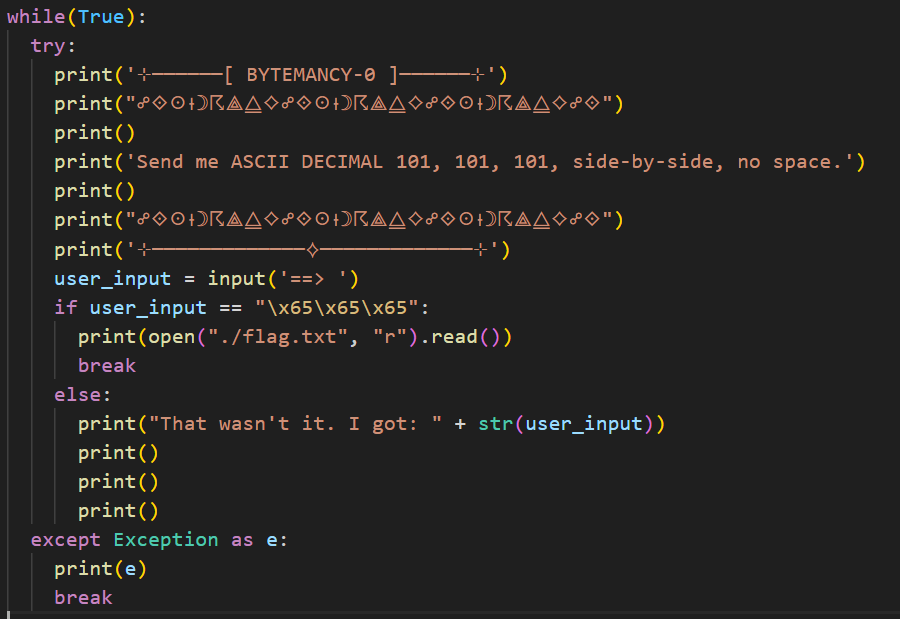
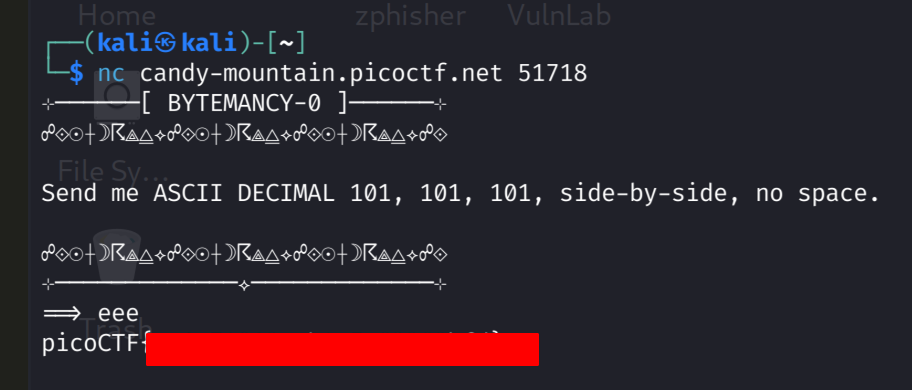
The server wants us to send the character corresponding to the ASCII Decimal value 101 three times. In the input hint it already says \x65 — which is the same character in hexadecimal. Our character is the letter e. Flag obtained, just like that.
Bytemancy 1
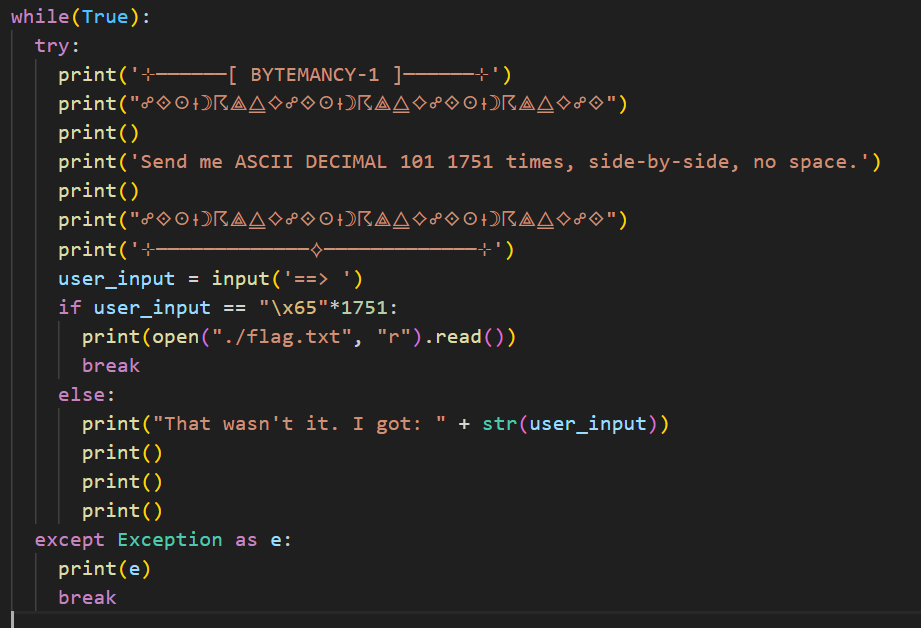
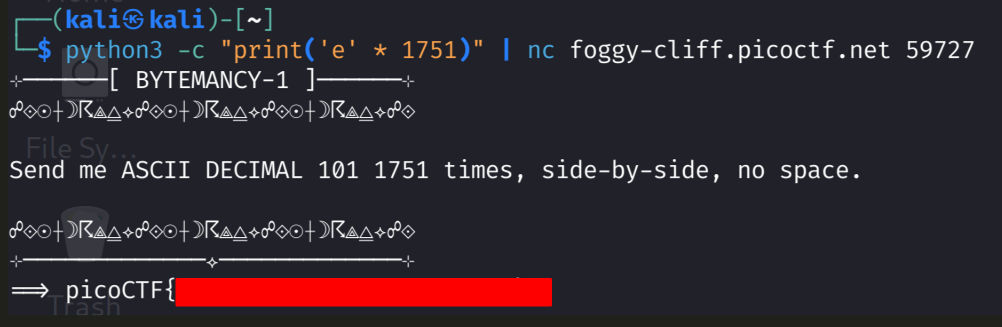
On to bytemancy1. Looking at the code this time, the server wants us to send the letter e 1751 times.
Typing it 1751 times would be absurd, so I tried sending it with a simple Python one-liner:
python3 -c "print('e' * 1751)"But netcat treats what I print as the answer — as in, “where are my 1751 e’s”. So I got clever and piped python into nc, sending my input from outside — and the flag was ours.
Bytemancy 2
Now bytemancy2 — things get a bit more interesting here. Let’s look at the code.
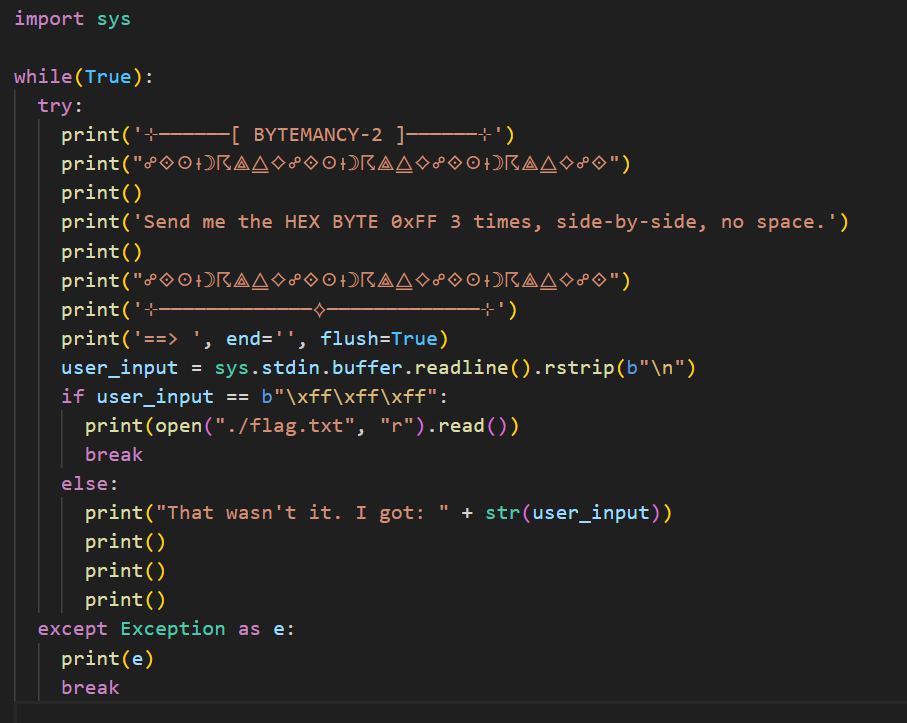
It’s asking for the 0xFF character (Decimal 255), which is a non-printable character in the standard ASCII table. There’s no key on the keyboard for it. The given hint pointed toward pwntools. To send raw bytes straight to the server I wrote this Python code:
from pwn import *

host = 'lonely-island.picoctf.net'
port = 54266

r = remote(host, port)

r.recvuntil(b'==> ')

r.sendline(b'\xff\xff\xff')

print(r.recvall().decode())
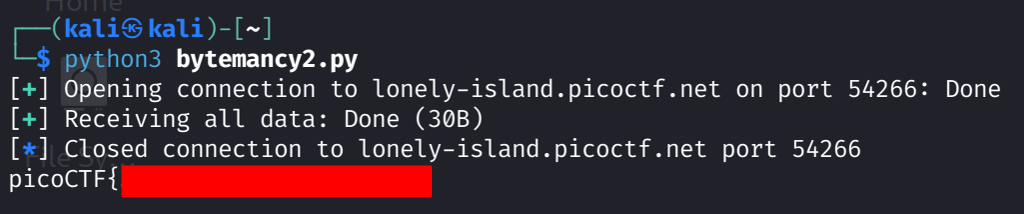
With this code I connect to the server automatically, wait until the arrow prompt, then send three 0xff bytes. Flag obtained.
Bytemancy 3
Now, bytemancy3 was a bit of an end-of-chapter boss.
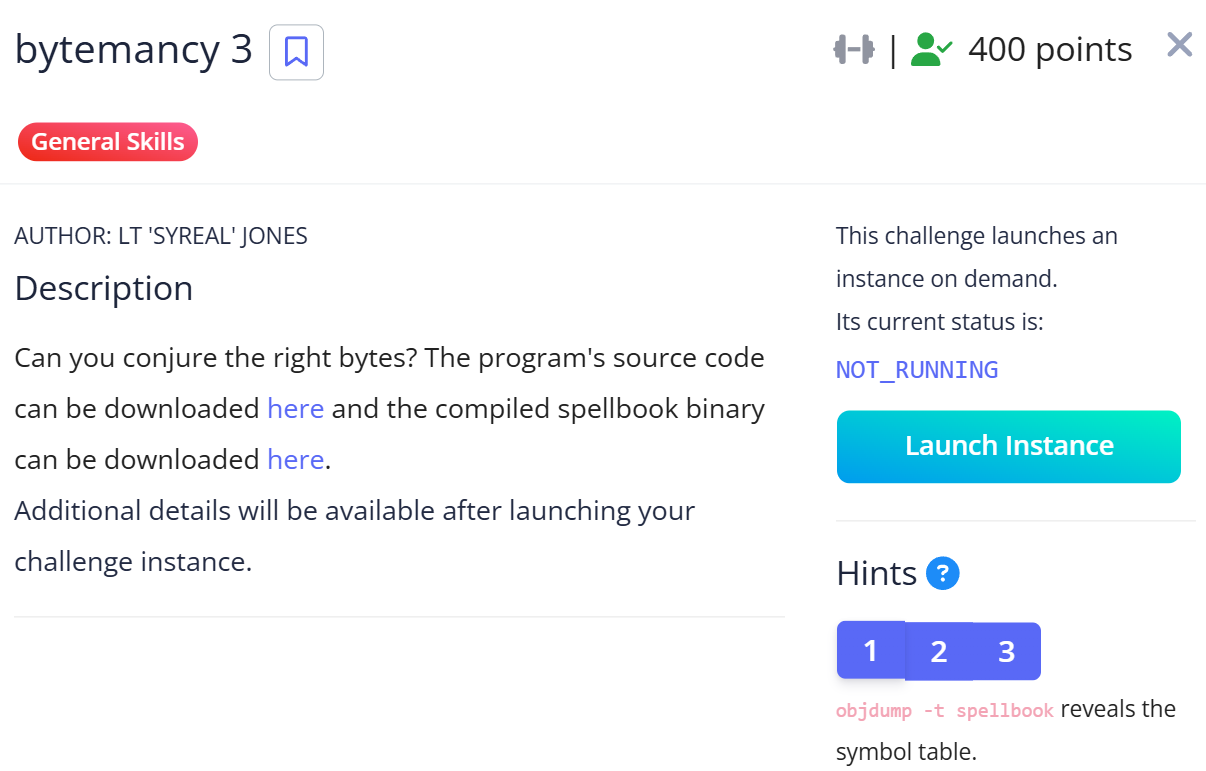
Looking at the source of the executable file we’re given, called spellbook, we see a mechanism different from the previous challenges. The server doesn’t ask for a static byte; it randomly picks one of 4 different C functions (ember_sigil, glyph_conflux, etc.) and asks for their memory addresses in 4-byte little-endian format.
// ... (earlier parts)
selections = random.sample(SPELLBOOK_FUNCTIONS, QUESTION_COUNT)
success = True

for idx, symbol in enumerate(selections, 1):
    target_addr = elf.symbols[symbol]
    expected_bytes = p32(target_addr)

    print(f"[{idx}/{QUESTION_COUNT}] Send the 4-byte little-endian address for procedure '{symbol}'.")
    user_bytes = read_exact_bytes(len(expected_bytes))

    if user_bytes != expected_bytes:
        print("\nThose aren't the right runes.")
        success = False
        break
So the system pulls the address from the ELF file’s symbol table and converts it to little-endian with p32(). In our script we’ll use the exact same method.
from pwn import *
import re

elf = ELF('./spellbook')

host = 'foggy-cliff.picoctf.net'
port = 59727

r = remote(host, port)

for i in range(3):
    r.recvuntil(b"procedure '")

    func_name = r.recvuntil(b"'")[:-1].decode()
    print(f"\n[*] Server asks: {func_name}")

    func_address = elf.symbols[func_name]
    print(f"[*] Found address: {hex(func_address)}")

    payload = p32(func_address)

    r.recvuntil(b"==> ")
    r.send(payload)

print("\n[+] Result:")
print(r.recvall().decode())
We fed spellbook to pwntools, connected to the server, and for three rounds looked up the function’s address in the ELF symbol table and converted it to 4-byte little-endian raw bytes. Running this Python code gave us the flag.
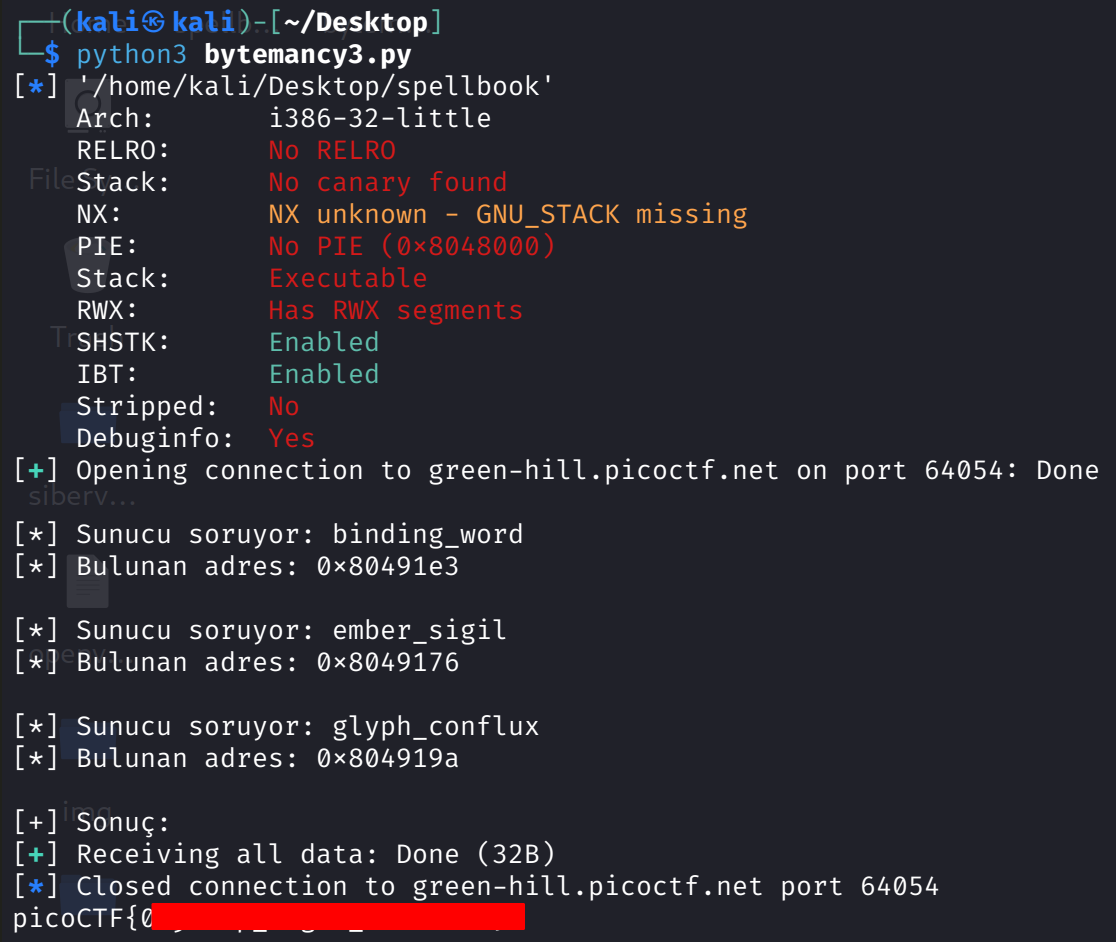
Bytemancy series done — now let’s squeeze in 2 fresh challenges.
Failure Failure
This challenge shows a High Availability misconfiguration that’s way too common in the real world. When we first visit the site, we’re greeted with “No flag in this service”. Digging into the source code reveals a critical detail: the system has a 300 request/minute rate limit, but it’s set globally, not per-user. What’s more, when the limit is exceeded the system doesn’t return the standard 429 — it returns 503 Service Unavailable.
load_dotenv()

app = Flask(__name__)

# Custom key function for global rate limiting
def global_rate_limit_key():
    return "global"

# Initialize rate limiter with global key function
limiter = Limiter(
    key_func=global_rate_limit_key,
    app=app,
    default_limits=["300 per minute"]
)

# Custom error handler for rate limit exceeded
@app.errorhandler(429)
def ratelimit_exceeded(e):
    return "Service Unavailable: Rate limit exceeded", 503

@app.route('/')
@limiter.limit("300 per minute")
def home():
    print("value:", os.getenv("IS_BACKUP"))
    if os.getenv("IS_BACKUP") == "yes":
        flag = os.getenv("FLAG")
    else:
        flag = "No flag in this service"
    return render_template("index.html", flag=flag)
When the load balancer (HAProxy) in front gets a 503 from the main server, it assumes the server crashed and routes traffic to the backup server that holds the flag. All we have to do is flood the main server and make it look dead. I fired 350 requests in a row with this bash loop:
for i in {1..350}; do curl -s "http://mysterious-sea.picoctf.net:58541/" > /dev/null & doneRefreshing the page dropped me onto the backup server. And the flag was sitting right there.
ABSOLUTE NANO
Now for what I think is the most fun challenge. We’re ctf-player on the system. There’s a flag.txt in our directory, but we can’t read it because it’s owned by root. We check our privileges with sudo -l:
(ALL) NOPASSWD: /bin/nano /etc/sudoers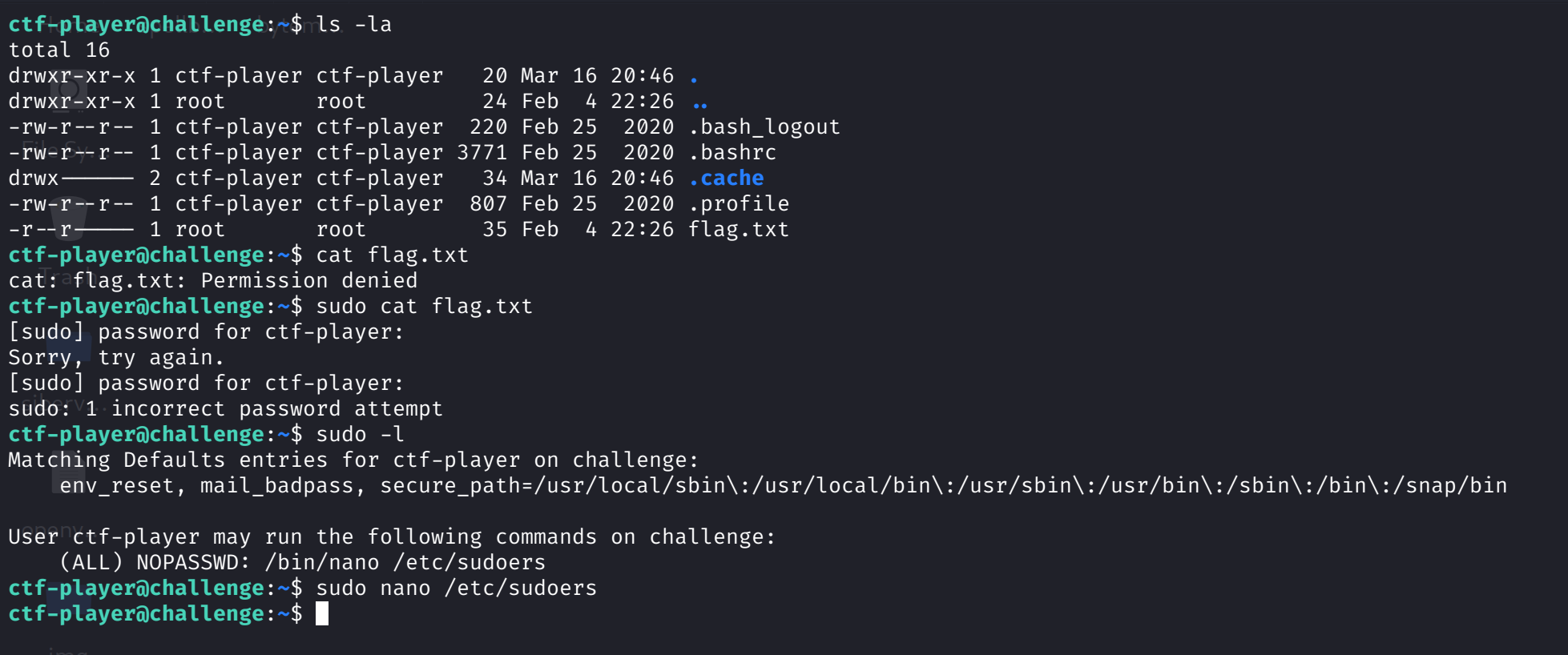
So the system says: you can edit the /etc/sudoers file as root using the nano editor, without a password. (Small confession: when I first opened the file I accidentally broke it and locked the system, and I had to reset the server :D)
I opened sudoers as root with sudo nano /etc/sudoers. Inside nano, I used Ctrl + R (Read File) and Ctrl + X (Execute Command). Nano gives you a command prompt, just like that. Then cat flag.txt — done.
And that’s it for this post. I’m thinking of writing one more picoCTF 2026 post. In this one we solved a few challenges from the “General Skills” section, and I’ll be sharing a Web Exploitation write-up too. Thanks for reading. See you around.